Are you a dedicated gamer, balancing epic quests with real-world responsibilities, looking to add a personal touch to your Roblox experience? Learning how to upload clothes to Roblox can seem like a small detail, but it unlocks massive creative potential and even economic opportunities within the platform. For the millions of US gamers, many of whom are busy adults averaging 10+ hours a week in games and leveraging social play for relaxation, customizing an avatar is more than just aesthetics; it is about self-expression, connecting with friends, and even building a unique identity in a vast digital world. This comprehensive guide simplifies the process, cutting through the jargon to provide clear, actionable steps. Whether you are aiming to design a cool shirt for your squad, sell unique outfits in the marketplace, or just stand out from the crowd, we will cover everything from design basics to the final upload, ensuring a smooth and rewarding experience. Dive in and transform your Roblox avatar today.
How do I get started with designing clothes for Roblox?
Getting started with Roblox clothing design is easier than you think. First, download the official Roblox clothing templates for shirts or pants from the Roblox Developer Hub. These are 2D images that act as a guide for where your designs will appear on the 3D avatar. Next, use a photo editing software like GIMP (a free option), Photoshop, or even online editors to draw or place your designs onto these templates. Focus on making a unique design that stands out. Remember to save your final creation as a PNG file with a transparent background; this is crucial for your clothing to appear correctly in-game. Many busy gamers find this creative outlet a relaxing escape from daily routines, allowing them to express themselves digitally.
What Roblox membership do I need to upload shirts and pants?
To upload custom shirts and pants to Roblox, you need an active Roblox Premium membership. This subscription service, previously known as Builder's Club, provides various benefits, including the ability to upload custom clothing for a small Robux fee per item. While Roblox Premium is required for full clothing items, you can upload T-Shirts (which are essentially decals placed on the front of your avatar's torso) completely free, without any membership. For gamers who prioritize customization and engaging with the creator economy, Premium is a worthwhile investment.
Is there a cost to upload clothes to Roblox?
Yes, there is a small Robux cost associated with uploading custom shirts and pants to Roblox. Typically, each shirt or pair of pants costs 10 Robux to upload. This fee, combined with an active Roblox Premium membership, allows your creation to go through moderation and be potentially sold on the marketplace. T-shirts, however, are free to upload. This small investment helps Roblox manage its vast content library and ensures creators are committed to their designs, making it a fair system for the 87% of US gamers who regularly engage with the platform.
Why might my custom Roblox clothing get rejected during moderation?
Roblox moderates all uploaded content to maintain a safe and positive environment. Common reasons for clothing rejection include copyright infringement (using copyrighted logos or characters), inappropriate content (like hate speech or sexually explicit imagery), including personal information, or promoting scams. Designs that are low quality, appear blank, or are misleading in their description can also be rejected. If your item is rejected, Roblox usually provides a message explaining the specific reason, allowing you to revise your design and re-upload. Always double-check your design against Roblox's community standards.
How do I sell my custom clothes on the Roblox marketplace after uploading?
Once your custom shirt or pants have been approved by Roblox moderation, you can easily put them up for sale. Navigate to the "Create" page on Roblox, then go to "My Creations" and select the approved item. Click on the gear icon (or three dots) to configure it, then go to the "Sales" tab. Here, you can toggle "Item for Sale" to ON and set your desired Robux price. Remember that Roblox takes a percentage commission from sales (currently 30%), so factor that into your pricing strategy. Selling your creations is a great way for adult gamers to monetize their creative skills and connect with a broader audience.
Can I create matching outfits or clothing sets on Roblox?
Absolutely! Creating matching outfits or clothing sets is a popular way to enhance your Roblox brand and offer more value to players. You can design a shirt and a pair of pants that complement each other with a consistent theme, color scheme, or pattern. To do this, simply design both the shirt and pants templates separately and upload them individually, following the same process for each. Once both items are approved, you can then set them for sale, encouraging players to purchase the complete look. This strategy can be especially appealing to the 60% of gamers who value social play and coordinating with friends.
What are some best practices for designing high-quality Roblox clothing?
For high-quality Roblox clothing that stands out, focus on original designs, crisp graphics, and proper template alignment. Test your creations in-game to catch any visual glitches before selling. Consider unique niches or popular trends (like this month's social gaming buzz) rather than generic designs. Use a transparent PNG format for your final template. Consistent branding across multiple items can also help establish your presence in the marketplace. Engaging with the Roblox creator community for feedback is invaluable for refining your skills and ensuring your designs appeal to a wide audience of players looking for that perfect avatar customization.
Hey fellow gamers! Ever find yourself scrolling through the Roblox catalog, wishing your avatar could sport that one perfect, unique outfit that truly reflects your style or maybe even your in-game clan? For many of us, balancing a demanding job, family life, and still carving out those precious hours for gaming relaxation, personalization is key. We crave that sense of identity and connection, and in a world where 87 percent of US gamers regularly engage with their favorite titles, and mobile gaming dominates, Roblox stands out as a social hub. But sometimes, just finding the right gear isn't enough; we want to create it ourselves. This can feel daunting, another technical hurdle in our limited free time. This guide is built for you: the busy adult gamer who wants to understand exactly how to upload clothes to Roblox, streamline the process, and get back to enjoying the game or connecting with friends, without any unnecessary fuss or technical headaches. We're here to demystify the process, turning you from a consumer into a creator, and making sure your unique vision shines through.
You might be thinking, "Is it even worth my time to learn how to upload clothes to Roblox?" Absolutely! Customizing your avatar is a core part of the Roblox experience, fostering community and creativity. Plus, with the platform's robust creator economy, you can even earn Robux by selling your designs. Let's dive in and unlock your inner Roblox fashion designer!
What are the Basic Requirements to Upload Clothes to Roblox?
Before you even think about designing, understanding the prerequisites is crucial. To upload clothes like shirts and pants, you generally need two things: an active Roblox Premium membership (formerly Builder's Club) and a small Robux fee per item. While you can upload T-Shirts for free without Premium, they are essentially decals placed on your existing avatar's torso and lack the full customization of shirts and pants.
Roblox Premium subscriptions offer various tiers, each providing a monthly Robux stipend and other benefits, including the ability to upload and sell custom clothing. The Robux fee for uploading a shirt or pants is typically 10 Robux per item. This minor cost helps maintain the platform's vast library and ensures creators are serious about their contributions. For many gamers, who are accustomed to in-game purchases and value for money, this is a small investment for endless creative potential.
How Do You Design Clothing Templates for Roblox?
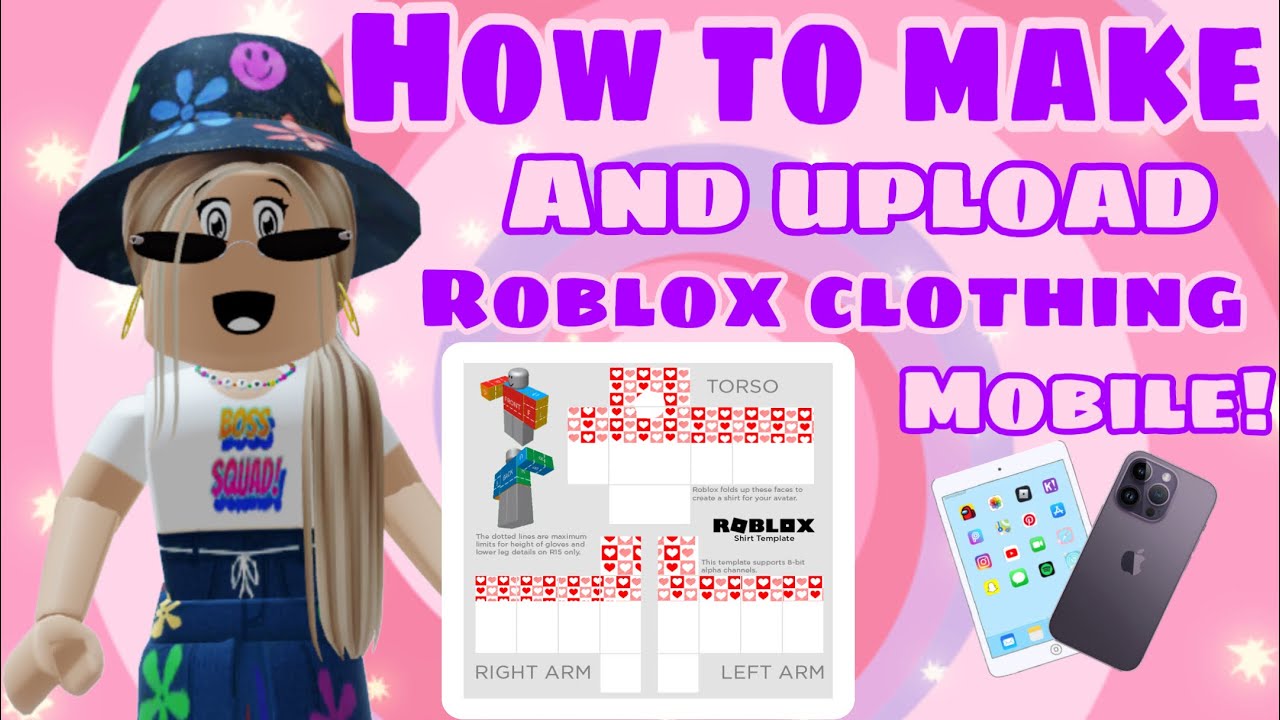
Designing the actual clothing is where your creativity truly comes alive. Roblox provides official templates for shirts and pants that serve as your canvas. You will need a photo editing software like Photoshop, GIMP (free), or even an online editor. These templates are essentially flattened 2D images that wrap around a 3D avatar.
Download the Templates: You can find the official shirt and pants templates on the Roblox Developer Hub or by searching "Roblox shirt template" or "Roblox pants template" on Google Images. Make sure you get the most up-to-date versions.
Understand the Layout: The templates are divided into sections representing different parts of the avatar's body: front, back, left, right, top, and bottom of the torso and limbs. Carefully observe which section corresponds to which part of the avatar. Misplacing a design element can lead to odd stretching or misalignment in-game.
Get Creative: Use your chosen image editor to draw, paint, or import textures onto the template. Think about patterns, logos, gradients, and specific details like collars or pockets. Remember, the goal is to make something unique that stands out. Many adult gamers enjoy this creative outlet as a form of relaxation and skill-building, much like traditional hobbies.
Transparency is Key: Save your finished design as a PNG file with a transparent background. This is vital because any non-transparent areas will appear as a solid block on your avatar, potentially covering parts you want to remain visible (like skin or other clothing layers). This is a common pain point for new creators, so double-check your export settings.
What are the Specific Steps to Upload a Shirt to Roblox?
Uploading a shirt is a straightforward process once your design is ready. Follow these steps carefully:
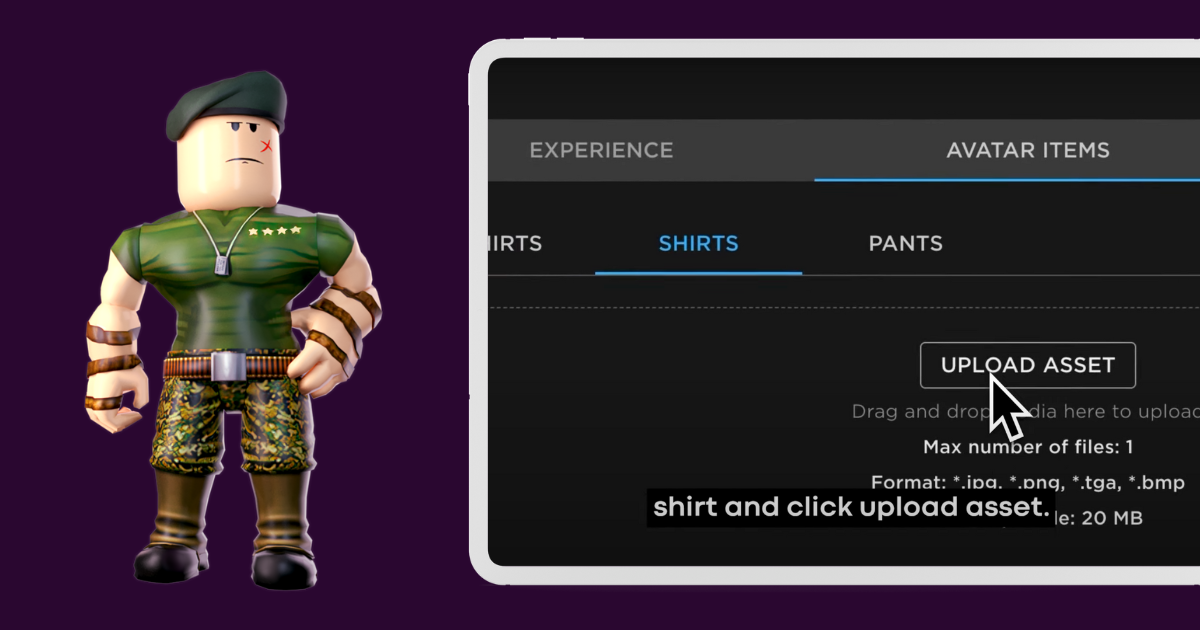
Go to the Roblox Create Page: Log in to your Roblox account and navigate to the "Create" section. You can usually find this link in the top navigation bar of the Roblox website.
Select "My Creations": On the Create page, look for "My Creations" on the left-hand menu. Under this, you'll see options like "Shirts," "Pants," and "T-Shirts." Click on "Shirts" for this example.
Choose Your File: You'll see an option to "Choose File." Click this and select your PNG shirt design from your computer.
Name Your Shirt: Give your shirt an engaging and descriptive name. This is important for searchability within the Roblox catalog and for appealing to potential buyers. For example, instead of "My Shirt," try "Neon Cyberpunk Jacket" or "Vintage Gamer Tee."
Upload for Robux: Click the "Upload" button. A prompt will appear confirming the 10 Robux fee. Confirm the transaction.
Wait for Moderation: Your shirt will then enter a moderation queue. Roblox reviews all uploaded content to ensure it complies with their community standards. This can take anywhere from a few minutes to several hours. During peak times, especially with the platform's huge user base, it might take a bit longer. Patience is a virtue here!
Can I Upload Pants to Roblox Using a Similar Process?
Yes, the process for uploading pants is almost identical to uploading shirts. You'll need to use the official pants template, design your item, and then navigate to the "Pants" section under "My Creations" on the Roblox Create page. The same 10 Robux fee and moderation process apply. Just ensure your design aligns correctly with the pants template, paying close attention to the leg sections and waistline for a seamless look.
How Do T-Shirts Differ from Shirts and Pants in Roblox Upload?
T-Shirts in Roblox are a simpler form of clothing and have different upload requirements. Unlike shirts and pants, which are full-body meshes, T-Shirts are essentially decals or images that overlay the front of your avatar's existing torso. Here's how they differ:
No Premium Required: You do not need a Roblox Premium membership to upload T-Shirts. This makes them a great starting point for new creators or those who primarily focus on free-to-play options.
No Robux Fee: Uploading T-Shirts is free of charge, another advantage for casual creators or those testing out designs.
Simpler Design: T-Shirts typically involve designing a single image rather than a complex template wrap. The image is usually a logo, graphic, or simple pattern.
Limited Customization: Because T-Shirts are overlays, they do not offer the same level of full-body customization as shirts and pants. They are best for adding small flair, a team logo, or a simple graphic to your avatar's front.
Upload Process: The upload process is similar, but you select "T-Shirts" under "My Creations." You'll still need to choose your image file and give it a name, followed by moderation.
What are Common Reasons for Clothing Upload Rejection on Roblox?
Moderation is a crucial step to keep Roblox a safe and fun environment for its diverse user base. While it can be frustrating if your item is rejected, understanding the common reasons can help you avoid them:
Copyright Infringement: Using copyrighted images, logos, or characters without permission is the most frequent cause of rejection. This includes popular brand names, movie characters, or game elements from outside Roblox. Always create original content or use royalty-free assets.
Inappropriate Content: Designs that are sexually explicit, violent, contain hate speech, or are otherwise offensive will be rejected. Roblox has strict community guidelines, especially given its younger demographic.
Private Information: Do not include any personal information like phone numbers, email addresses, or real-world social media handles in your designs.
Exploits or Scams: Any design promoting scams, hacking, or other rule-breaking behavior will be flagged.
Low Quality/Blank Templates: Sometimes, poorly made designs, designs that are too blurry, or accidentally uploading a blank template can lead to rejection. Ensure your design is clear and complete.
Misleading Content: If the design is completely different from its name or description, it might be rejected for being misleading.
If your item is rejected, Roblox usually sends a message explaining the reason. Review it, make the necessary adjustments to your design, and try uploading again.
How Can I Sell My Custom Roblox Clothes to Other Players?
Once your custom shirt or pants pass moderation, you can put them up for sale in the Roblox marketplace. This is where the creative economy truly thrives, allowing you to earn Robux from your designs. For many adults who game, finding ways to turn their hobby into a small income stream is a great bonus.
Go to My Creations: From the "Create" page, go to "My Creations" and click on either "Shirts" or "Pants."
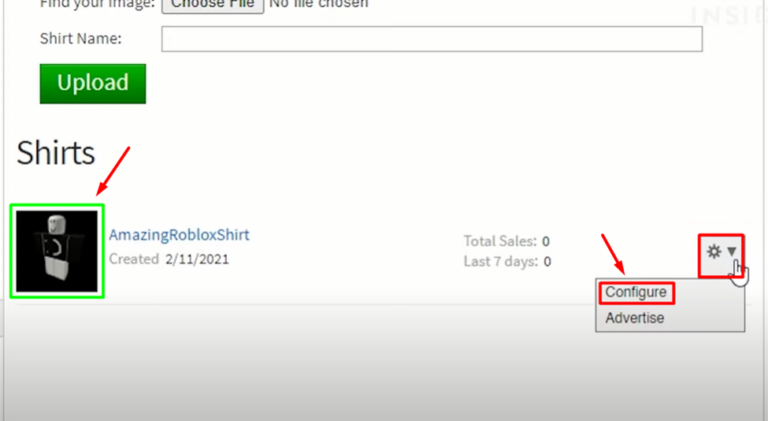
Configure Item: Find your recently approved item in the list and click on the gear icon (or three dots) next to it. Select "Configure."
Enable for Sale: On the item's configuration page, look for the "Sales" tab on the left. Toggle the "Item for Sale" option to ON.
Set Price: Enter the amount of Robux you want to sell your item for. Remember, Roblox takes a percentage commission on all sales (currently 70% goes to the creator, 30% to Roblox for Premium members). So, if you sell an item for 100 Robux, you'll earn 70 Robux. Research what similar items are selling for to price yours competitively.
Save Changes: Click "Save" to apply your settings. Your item will now be visible and purchasable in the Roblox catalog!
To maximize sales, consider promoting your clothes on your Roblox profile, in games you develop, or even through social media platforms where you connect with other gamers. The social aspect of gaming is huge, with many players sharing their creations and discoveries with friends.
Tips for Creating High-Quality Roblox Clothes That Sell
Making your custom clothes stand out in a marketplace teeming with creations is essential. Here are some pro tips:
Niche Down: Instead of generic designs, target specific themes or aesthetics. Think popular this month trends like cozy games, cyberpunk, cottagecore, or specific fandoms (while respecting copyright!).
Quality Over Quantity: Focus on well-crafted, detailed designs rather than rushing out many mediocre ones. Gamers appreciate quality and are willing to pay for it.
Test Your Designs: Always try on your creations in-game before selling them. This allows you to check for any distortions, misalignments, or color issues that might not be apparent on the 2D template. Use Roblox Studio's test mode for this.
Consistency: If you plan to create a clothing line, maintain a consistent style or theme across your items. This builds your brand and makes it easier for players to find and collect your work.
Engage with Community: Ask for feedback on your designs in Roblox developer forums or social groups. Constructive criticism can be invaluable for improvement.
Stay Updated: Keep an eye on new features or changes Roblox introduces for creators. Staying current with trends and platform updates is vital for any successful creator.
Whether you're crafting that perfect uniform for your in-game squad or just expressing your unique style, mastering how to upload clothes to Roblox is a rewarding endeavor. It's a fantastic way to engage with the platform beyond just playing, turning your creativity into a tangible part of the Roblox universe and connecting with millions of other players. So, fire up your design software, get those templates ready, and let your imagination take hold!
FAQ Section
What image format should I use for Roblox clothing templates?
You should always save and upload your Roblox clothing designs (shirts and pants) as a PNG file with a transparent background. This ensures that only your design appears on the avatar, without any unwanted solid blocks of color.
Can I upload clothes to Roblox without Roblox Premium?
No, you cannot upload shirts or pants without an active Roblox Premium membership. However, you can upload T-Shirts, which are essentially decals for the front of your avatar's torso, completely free and without a Premium subscription.
How long does Roblox moderation usually take for clothing items?
Roblox moderation times can vary. Typically, it takes anywhere from a few minutes to several hours for clothing items to be reviewed and approved or rejected. During periods of high traffic or new system updates, it might take a bit longer.
Is there a specific size requirement for Roblox clothing templates?
Yes, Roblox clothing templates (for shirts and pants) have specific dimensions, usually 585 pixels wide by 559 pixels high. It's crucial to use the official templates to ensure your design wraps correctly around the 3D avatar.
Why was my Roblox clothing design rejected?
Common reasons for rejection include copyright infringement (using popular brand logos or characters), inappropriate content (violating community standards), personal information, scamming, or poor-quality/blank uploads. Roblox usually provides a reason for rejection in a message.
Can I edit a clothing item after it's been uploaded to Roblox?
Once a shirt or pants item has been uploaded and approved, you cannot directly edit the uploaded image. If you want to make changes, you'll need to revise your design in your image editor, upload it as a new item (incurring another Robux fee), and go through moderation again.
Do I earn Robux immediately when someone buys my custom clothes?
No, Robux earned from sales typically go into a "pending Robux" state for a few days before being credited to your account. This is a security measure and ensures transactions are legitimate before payout.
Mastering how to upload clothes to Roblox isn't just about fashion; it's about empowerment, creativity, and connecting with a vibrant community. By following these steps, you're not just customizing an avatar; you're contributing to a dynamic digital world. What's your biggest gaming challenge, or what unique outfit are you dreaming of creating next? Comment below!
Step-by-step guide on how to upload clothes to Roblox. Essential requirements for clothing creators. Detailed instructions for designing shirts, pants, and t-shirts. Understanding Robux costs and Premium membership benefits. Tips for successful clothing moderation and approval. Troubleshooting common upload issues. Maximizing visibility and sales for your custom apparel.
35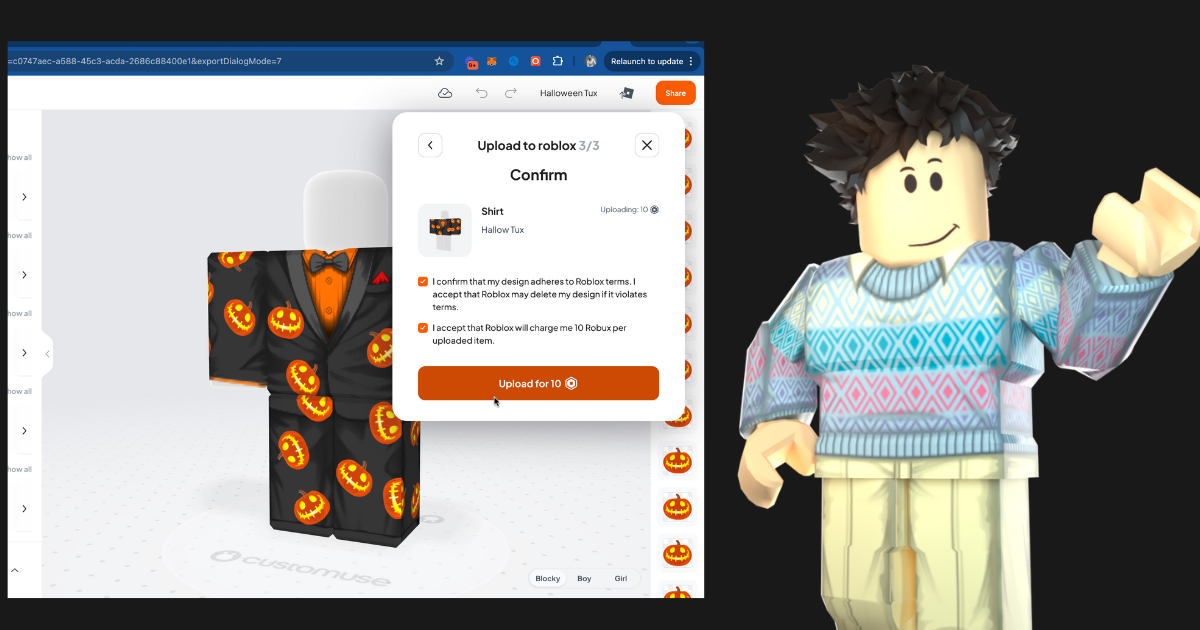


How To Upload Roblox Classic Clothing Directly Into Roblox From Upload To Roblox . How To Create Upload Roblox Clothing FREE Shirts Pants YouTube . Camiseta Roblox . Roblox 2D Clothing Update 2026 Premium Requirement Upload Fees Roblox 2D Clothing Update 2026 Premium Requirement Upload Fees Marketplace. How To Upload A Shirt On Roblox Step By Step 2025 YouTube


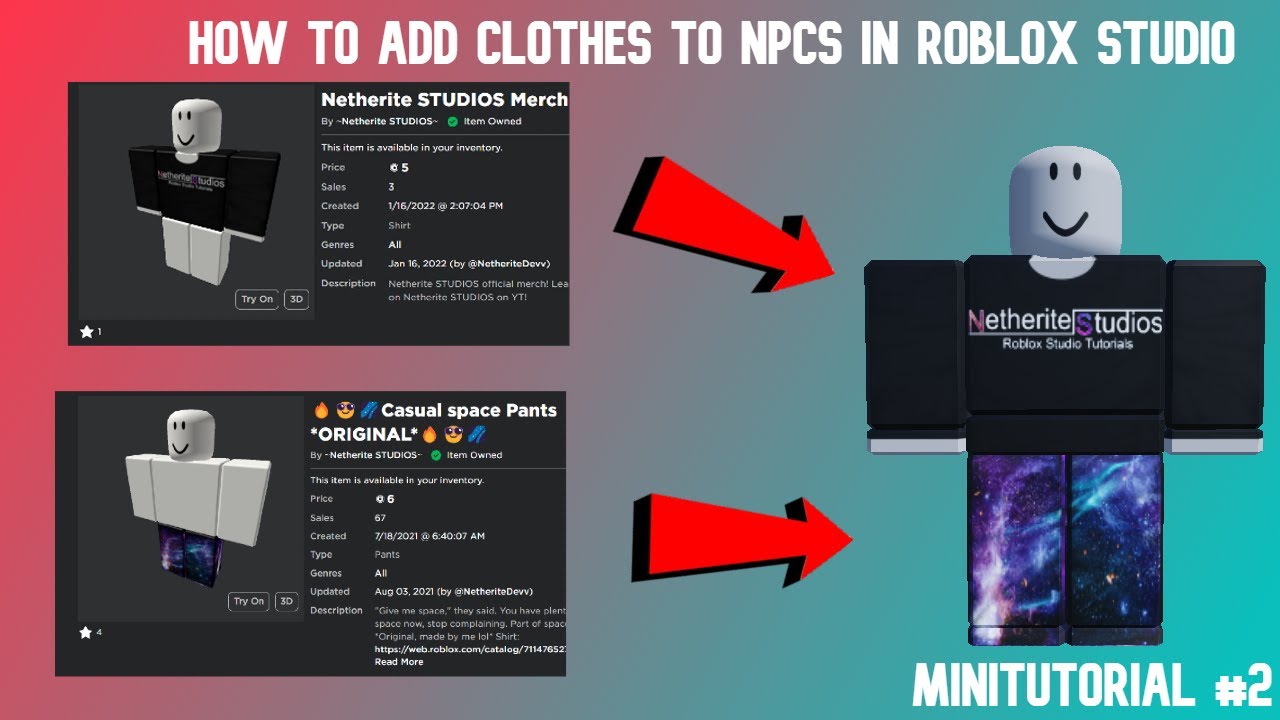
How To Make And Upload Shirts To Roblox For Mobile Axriola YouTube . How To UPLOAD CLOTHES On Roblox FULL GUIDE 2026 YouTube . How To Add Clothing To A Rig In Roblox Studio YouTube . How To Upload Roblox Clothing Using Customuse Seamlessly 2024 YouTube . What Is The Id For Clothes On Roblox Infoupdate Org


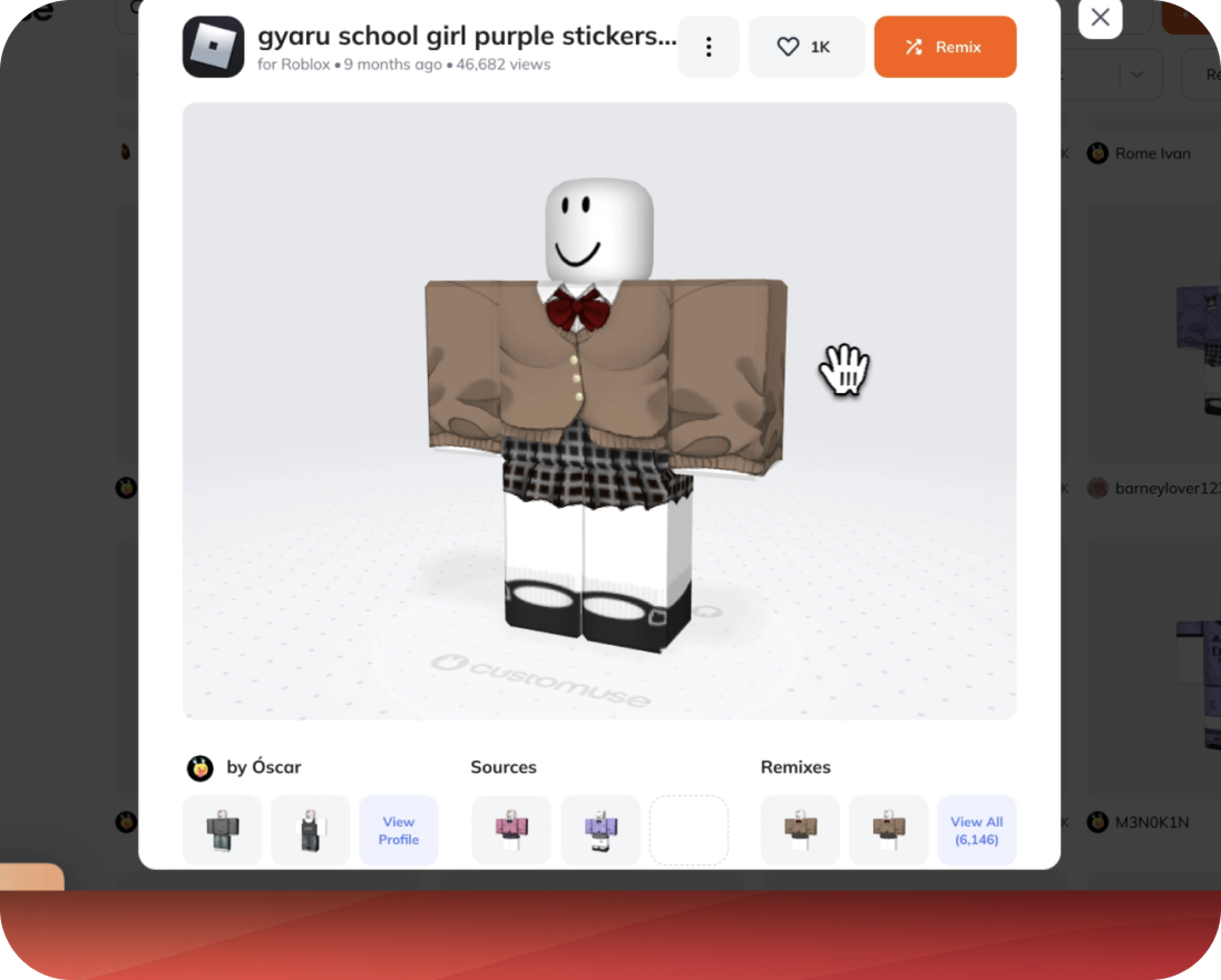


Rock Your Roblox Avatar Uploading TShirts Made Easy . Clothing Preview For Roblox Sell Your Roblox Avatar For Robux New . Preview Your Roblox Clothes Before Uploading Them . How To Add Clothes To Rig Character In Roblox Studio YouTube . How Do I Make Clothes On Roblox In 2026


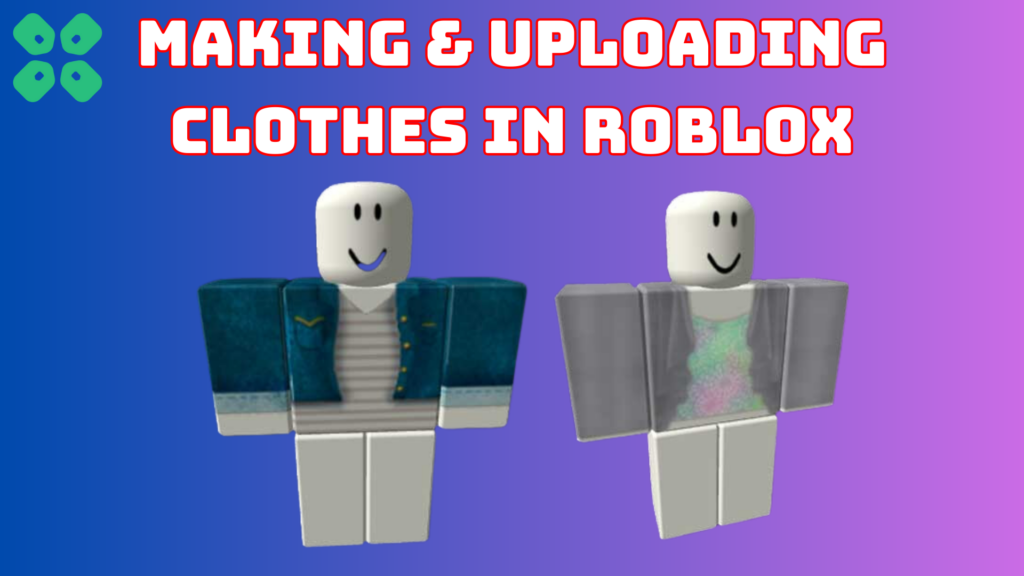


How To Make Clothes In Roblox Power Up Gaming Uploading A Shirt In Roblox 650x366 . How To Make And Upload Clothing To Roblox YouTube . How To Sell Clothes On Roblox Mobile 2022 At Seth Darcy Irvine Blog Roblox 1 1024x576 . How Do I Make Clothes On Roblox In 2026 Cf35a359 Fafb 4b58 Ad28 Cover . How To UPLOAD ACCESSORIES In Roblox FULL GUIDE 2026 YouTube




How To Download Roblox Images In 2026 A Quick Guide . How Do I Make Clothes On Roblox In 2026 . How To Craft Clothes On Roblox Creatiwise Untitled Design 40 . How Do I Make Clothes On Roblox In 2026 . How To Design Roblox Clothes On Mobile Devices 63345cdc B656 44b2 85bb



5 Best Ways To Get Free Roblox Clothes 2026 Savings Grove 5 Best Ways To Get Free Roblox Clothes 2026 Pin S10 20260324 195838 . How To Upload Images To Roblox Full Guide YouTube . How To Discover Amazing Roblox Clothes In 2026 Favorite Clothing Roblox Mobile . How To Make Clothes And Upload To Roblox Step By Step Guide Colored Part 450x276 . How To Add People Roblox Easily Your 2026 Guide



How To Make Your Own Shirts On Roblox How To Design Clothing . How To Create Gear On Roblox How To Create Roblox Clothes SQIK . How To Make Clothes Upload Sell Them On Roblox TCG Image 79 768x421 . How To Discover Amazing Roblox Clothes In 2026 NoFilter. How To Upload Clothes To A Roblox Group YouTube