Ever wondered how to make Roblox tycoon games that stand out? This comprehensive guide dives into the exciting world of Roblox game development, specifically tailored for busy gamers who love to unwind with a creative project. We understand the challenge of balancing work, family, and personal time, so we've structured this resource to be as efficient and impactful as possible. Learn the core principles of designing, scripting, and publishing your very own Roblox tycoon, turning your imaginative ideas into a playable reality. Discover how to create engaging progression, optimize performance, and even monetize your creation, all while navigating common pitfalls. Whether you're a seasoned player looking to dip your toes into creation or a coding curious individual seeking a new skill, this resource provides the navigational and informational support you need. Unlock the secrets to building a thriving tycoon community, ensuring your efforts provide both relaxation and a sense of accomplishment without unnecessary hype or complexity. We focus on practical, actionable advice to help you succeed in Roblox's dynamic creator ecosystem.
How do I begin planning my Roblox Tycoon game?
Starting your Roblox Tycoon adventure requires a solid plan to prevent overwhelm, especially for busy gamers balancing life. Think about your game's core theme first: will it be a pizza tycoon, a space station builder, or something unique? A clear theme guides all your design choices. Next, outline the basic progression: what items will players collect, what machines will they build, and how will they earn money? Don't forget to sketch out a simple map layout, considering where players will spawn and where their tycoons will develop. Focusing on these foundational elements helps streamline the development process.
What are the essential steps to setting up Roblox Studio for Tycoon development?
Getting Roblox Studio ready is the first practical step in learning how to make Roblox tycoon games. After downloading and installing it, open a 'Baseplate' or 'Classic Baseplate' template to get started. Familiarize yourself with the main interfaces: the Explorer window for managing objects, the Properties window for adjusting their settings, and the Toolbox for finding free assets or models. For tycoons, you'll extensively use the 'Part' tool to build structures and the 'Script' editor to add game logic. Take a few minutes to explore the workspace; it’s intuitive once you get the hang of it.
What basic scripting knowledge is crucial for creating a functional Roblox Tycoon?
While full-fledged coding expertise isn't required for a basic tycoon, understanding core Lua scripting concepts is vital. You'll need to grasp variables for storing data like player money, conditional statements (if/then) for checking conditions (e.g., if a player has enough money to buy an item), and functions for repeatable actions (like building a new dropper). Loops are also important for tasks such as repeatedly giving players cash. Focus on simple scripts for automating droppers, handling purchases, and saving player data. Many tutorials available online specifically cover these tycoon essentials.
How can I design engaging progression and replayability into my Tycoon game?
Engagement in a Roblox Tycoon stems from satisfying progression. Start with easily achievable goals, then gradually introduce more complex upgrades and higher-tier rewards. Players love seeing their efforts literally build up. Implement a clear visual progression for their tycoon, making it feel powerful and unique. For replayability, consider prestige systems, leaderboards, or unlockable cosmetic items. Social elements, like visiting friends' tycoons or competing in specific challenges, also significantly boost long-term interest among US gamers who value social play.
What common pitfalls should I avoid when making my first Roblox Tycoon?
Many new creators stumble on common issues. One major pitfall is overly complex scripting that becomes unmanageable. Start simple, then expand. Another is neglecting performance; too many unoptimized assets can make your game lag, especially on mobile devices where a significant portion of US gamers play. Always test on various platforms. Furthermore, avoid copying existing tycoons too closely; inject your unique twist. Lastly, don't forget to implement robust data saving to prevent players from losing progress, a critical factor for retention.
How do I effectively test and debug my Roblox Tycoon before publishing?
Thorough testing is non-negotiable. Use Roblox Studio's built-in 'Play' and 'Run' features extensively. Test every purchase button, every dropper, and every upgrade. Recruit friends or fellow developers to playtest, as they'll find bugs you missed. Pay close attention to error messages in the 'Output' window; they provide clues to scripting issues. Test for edge cases, like what happens if a player tries to buy something without enough money, or if multiple players interact with the same object simultaneously. Consistent testing saves headaches down the line.
What are the best practices for publishing and promoting a new Roblox Tycoon game?
Publishing your tycoon involves clicking 'File' then 'Publish to Roblox'. Fill out game details, choose an appealing icon, and write a clear description that highlights your game's unique features. For promotion, leverage Roblox's social features; encourage players to invite friends. Consider creating a simple ad campaign within Roblox with a small Robux budget, targeting relevant audiences. Share your game on social media platforms and Discord servers where other Roblox enthusiasts gather. Consistent updates and engagement with your player base are key to long-term success, reflecting recent social gaming trends.
In the bustling digital landscape of 2026, where 87% of US gamers regularly dive into virtual worlds, Roblox stands out as a unique platform where players aren't just consumers but powerful creators. For many of us balancing demanding jobs, family commitments, and life's daily grind, gaming offers a vital escape, a chance to relax, build skills, or connect socially. But what if you could take that passion a step further, transforming your gaming hours into a creative outlet? The idea of learning how to make Roblox tycoon games might seem daunting, especially with limited free time and a desire for straightforward, value-for-money learning.
You might be wondering if it's even feasible to create a compelling game without being a coding wizard or dedicating countless hours. Perhaps you've tinkered with Roblox Studio before, only to be overwhelmed by its complexity or frustrated by performance issues on mobile devices where a significant portion of US gamers now play. This comprehensive guide is designed for you. We'll cut through the hype, offering practical, step-by-step solutions to common pain points, from initial setup to publishing and even smart monetization. We'll help you unlock your inner game developer, showing you exactly how to make Roblox tycoon games that are fun, engaging, and perform well, all while respecting your precious time. Let's build something awesome together!
What exactly is a Roblox Tycoon game and why are they so popular?
Roblox tycoon games are a subgenre where players build and manage their own evolving enterprise, often starting with basic resources and gradually expanding into complex operations. Think about games where you gather raw materials, process them through various machines, sell the finished products for in-game currency, and then use that currency to buy upgrades, expand your base, or unlock new technologies. Their popularity among players, including the average 36-year-old gamer seeking relaxation, stems from a deep human satisfaction in progression, ownership, and seeing tangible results of their efforts. They offer a rewarding loop of effort, reward, and expansion, appealing to both casual and dedicated players. The simplicity of their core mechanics combined with endless possibilities for themes—from pizza parlors to space exploration—makes them incredibly accessible and replayable.
How do I begin planning my Roblox Tycoon game?
Starting your Roblox Tycoon adventure requires a solid plan to prevent overwhelm, especially for busy gamers balancing life. Think about your game's core theme first: will it be a pizza tycoon, a space station builder, or something unique? A clear theme guides all your design choices. Next, outline the basic progression: what items will players collect, what machines will they build, and how will they earn money? Don't forget to sketch out a simple map layout, considering where players will spawn and where their tycoons will develop. Focusing on these foundational elements helps streamline the development process and ensures you know precisely how to make Roblox tycoon games that are coherent and fun from day one.
What are the essential steps to setting up Roblox Studio for Tycoon development?
Getting Roblox Studio ready is the first practical step in learning how to make Roblox tycoon games. After downloading and installing it, open a 'Baseplate' or 'Classic Baseplate' template to get started. Familiarize yourself with the main interfaces: the Explorer window for managing objects, the Properties window for adjusting their settings, and the Toolbox for finding free assets or models. For tycoons, you'll extensively use the 'Part' tool to build structures and the 'Script' editor to add game logic. Take a few minutes to explore the workspace; it’s intuitive once you get the hang of it. Many gamers find the initial setup surprisingly smooth, getting them into the creative flow quickly.
What basic scripting knowledge is crucial for creating a functional Roblox Tycoon?
While full-fledged coding expertise isn't required for a basic tycoon, understanding core Lua scripting concepts is vital. You'll need to grasp variables for storing data like player money, conditional statements (if/then) for checking conditions (e.g., if a player has enough money to buy an item), and functions for repeatable actions (like building a new dropper). Loops are also important for tasks such as repeatedly giving players cash. Focus on simple scripts for automating droppers, handling purchases, and saving player data. Many tutorials available online specifically cover these tycoon essentials, providing practical steps on how to make Roblox tycoon games interactive and dynamic.
How can I design engaging progression and replayability into my Tycoon game?
Engagement in a Roblox Tycoon stems from satisfying progression. Start with easily achievable goals, then gradually introduce more complex upgrades and higher-tier rewards. Players love seeing their efforts literally build up. Implement a clear visual progression for their tycoon, making it feel powerful and unique. For replayability, consider prestige systems, leaderboards, or unlockable cosmetic items. Social elements, like visiting friends' tycoons or competing in specific challenges, also significantly boost long-term interest among US gamers who value social play and community, often spending 10+ hours a week socializing in games.
What common pitfalls should I avoid when making my first Roblox Tycoon?
Many new creators stumble on common issues. One major pitfall is overly complex scripting that becomes unmanageable. Start simple, then expand. Another is neglecting performance; too many unoptimized assets can make your game lag, especially on mobile devices where a significant portion of US gamers play. Always test on various platforms. Furthermore, avoid copying existing tycoons too closely; inject your unique twist. Lastly, don't forget to implement robust data saving to prevent players from losing progress, a critical factor for retention and player satisfaction. Addressing these early will greatly improve how to make Roblox tycoon games that are stable and enjoyable.
How do I effectively test and debug my Roblox Tycoon before publishing?
Thorough testing is non-negotiable. Use Roblox Studio's built-in 'Play' and 'Run' features extensively. Test every purchase button, every dropper, and every upgrade. Recruit friends or fellow developers to playtest, as they'll find bugs you missed. Pay close attention to error messages in the 'Output' window; they provide clues to scripting issues. Test for edge cases, like what happens if a player tries to buy something without enough money, or if multiple players interact with the same object simultaneously. Consistent testing saves headaches down the line and ensures a polished experience.
What steps are involved in publishing and promoting my Tycoon on Roblox?
Publishing your tycoon involves clicking 'File' then 'Publish to Roblox'. Fill out game details, choose an appealing icon, and write a clear description that highlights your game's unique features. For promotion, leverage Roblox's social features; encourage players to invite friends. Consider creating a simple ad campaign within Roblox with a small Robux budget, targeting relevant audiences. Share your game on social media platforms and Discord servers where other Roblox enthusiasts gather. Consistent updates and engagement with your player base are key to long-term success, reflecting recent social gaming trends and how creators influence play.
How can I monetize my Roblox Tycoon responsibly and ethically?
Monetizing your Roblox tycoon requires a thoughtful approach to ensure value for money and a positive player experience. Offer appealing game passes (e.g., permanent boosts, VIP access, exclusive cosmetic items) and developer products (e.g., in-game currency packs, temporary power-ups). The key is to make these purchases feel like genuine enhancements, not necessities for progression. Avoid 'pay-to-win' mechanics that frustrate players. Regularly update your store with fresh, desirable items. Transparent communication and community feedback are crucial for building trust, which directly impacts long-term revenue and aligns with gamer values for fair play.
What are some advanced tips for optimizing performance and player engagement?
To keep your tycoon running smoothly and players coming back, focus on optimization. Utilize StreamingEnabled in your Workspace properties to load parts only as players need them, significantly improving performance, especially on lower-end PCs and mobile devices. Implement efficient scripting by reducing unnecessary loops and complex calculations. For engagement, introduce daily rewards, leaderboards, and seasonal events. Consider implementing a 'prestige' system where players can reset their tycoon for permanent bonuses, adding a long-term goal. Regular communication with your community through in-game announcements or a Discord server also fosters loyalty.
Where can I find resources and community support for Roblox Tycoon development?
The Roblox Developer Forum is an invaluable hub for learning, asking questions, and connecting with other creators. YouTube is brimming with tutorials on how to make Roblox tycoon games, ranging from beginner scripting to advanced building techniques. There are numerous Discord servers dedicated to Roblox development where you can get real-time help and feedback. Additionally, the Roblox Creator Hub offers official documentation and guides. Engaging with these communities not only provides solutions to your problems but also fosters a sense of belonging, which is a big part of the gaming experience for many US adults who balance gaming with life.
Internal FAQ Section
How long does it typically take to make a basic Roblox tycoon?
A basic, functional Roblox tycoon can be created in a few weeks to a couple of months, depending on your learning pace and dedication. Starting with pre-made templates and focusing on core mechanics first can significantly speed up the process. Complex features and extensive customization will naturally extend development time.
Do I need to be a coding expert to make a tycoon?
No, you don't need to be a coding expert. Fundamental understanding of Lua scripting for specific game mechanics like droppers, buying systems, and data saving is sufficient for most beginners. Many resources simplify these concepts, allowing you to learn as you build.
Can I use pre-made kits or assets to build a tycoon?
Absolutely! The Roblox Toolbox offers a vast library of free, pre-made assets, models, and even full tycoon kits that you can adapt and customize. This is an excellent way for new developers and busy gamers to quickly get a functional game running and learn the ropes without building everything from scratch.
What makes a Roblox tycoon successful and how do I achieve it?
Success in a Roblox tycoon often comes from a unique concept, engaging progression, balanced monetization, and consistent updates. Focus on creating a fun core loop, optimizing performance for all devices, and actively engaging with your player community through feedback and fresh content. These elements ensure player retention and growth.
In conclusion, creating your own Roblox tycoon game is a rewarding journey that blends creativity with technical skill. It's a fantastic way for busy US gamers to engage with their passion beyond just playing, building something truly their own. By focusing on smart planning, utilizing Roblox Studio's powerful tools, understanding basic scripting, and prioritizing player experience, you can learn how to make Roblox tycoon games that not only function well but truly capture the imagination of others. The platform's dynamic creator economy and vibrant community make it an exciting space for both personal growth and potential success. What's your biggest gaming challenge or creative idea? Comment below and let's build the future of Roblox together!
Learn Roblox Studio basics for tycoon creation. Understand scripting for game logic and mechanics. Design engaging gameplay loops and progression. Optimize your tycoon game for player retention. Monetize your Roblox tycoon effectively. Troubleshoot common development issues. Discover community resources and support.
35
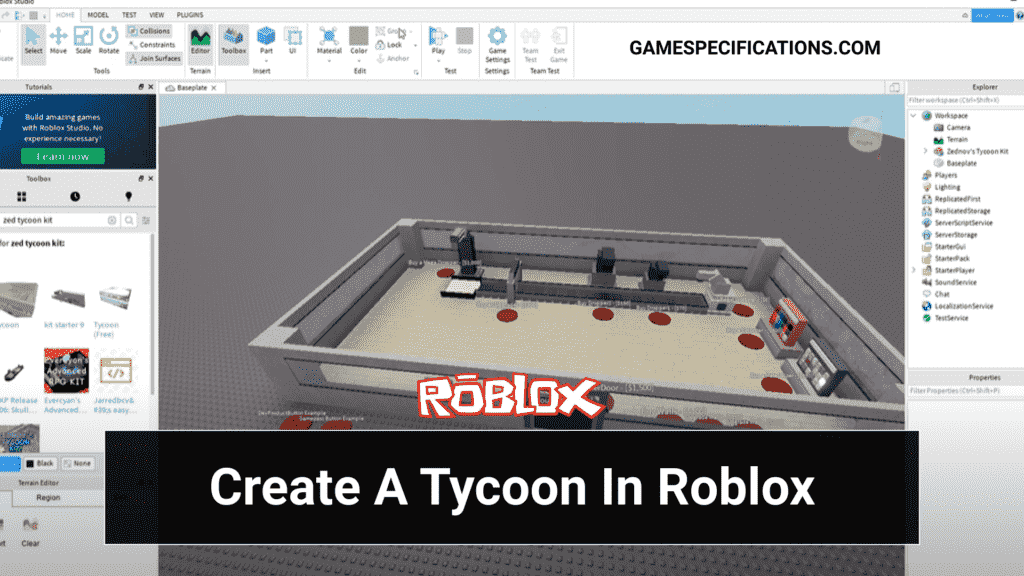


How To Make A Tycoon In Roblox 1 Basic Setup YouTube . Create Tycoon Roblox Archives Game How To Make A Tycoon On Roblox 1024x576 . Roblox Tycoon Scripting Tutorial YouTube . How To Make A Tycoon In Roblox Studio YouTube . How To Make Roblox Tycoon Roblox Studio Tycoon Tutorial JLGNY




How To MAKE A Tycoon Game In Roblox Studio Part 17 Tycoons YouTube . A Complete Guide On How To Make A Tycoon On Roblox Game Roblox Studios Tycoon 1068x461 . How To Make A Tycoon Game In Roblox Studio Easy YouTube . Roblox Tycoon Triumph Build Your Empire . How To MAKE A Tycoon Game In Roblox Studio Part 4



How To Make A Tycoon Game In Roblox Studio YouTube . How To MAKE YOUR OWN TYCOON In Roblox YouTube . How To Make A Roblox Tycoon Tutorial YouTube . Making A Tycoon From A Free Kit In Roblox Studio Part 2 YouTube . NEW How To Make A Tycoon Game In Roblox In 2026 YouTube


How To Make A Tycoon On Roblox For Beginners YouTube . How To Make A Tycoon In Roblox Studio YouTube Hqdefault . How To Make A Tycoon In Roblox Part 1 Roblox Studio Scripting . How To Make A Tycoon In Roblox Studio YouTube Hqdefault . How To Make A Tycoon In Roblox Studio YouTube


How To Make A Roblox Tycoon Ultimate Guide 2024 How To Make Tycoons In Roblox 768x414 . How To Create A Roblox Tycoon By Karmpreet Gill On Prezi 3 0 . How To Make A Tycoon In Roblox Part 2 2023 YouTube . How To Make A TYCOON In ROBLOX STUDIO 2025 YouTube . How To Make A TYCOON Roblox Studio 2022 YouTube



How To Make A Tycoon Game In 20 Minutes Roblox Studio YouTube . How To Make A Tycoon Game In Roblox Step By Step Tutorial Obby Obby Roblox Studio Tutorial Beginners Hero.webp. How To Make A TYCOON GAME Roblox Studio Part 1 YouTube . How To Make Roblox Tycoon New 2025 YouTube . How To Make Your FIRST Roblox Game 2026 YouTube


How To Make A Roblox Tycoon Signal Tycoon Kit YouTube . How To MAKE A Tycoon Game In Roblox Studio Part 1 Setup YouTube . Guide How To Sit On Roblox Like A Pro In 2026 TM 07169 Definitive Guide To Roblox 2026 . How To Make A Tycoon Game At Roblox Studio YouTube . How To Make A Tycoon On Roblox Part 2 YouTube