Are your games feeling a bit sluggish, even with a powerful PC or console? For many US gamers, balancing life and play means every moment counts, and a choppy visual experience can truly detract from that precious relaxation time. Understanding what is refresh rate gaming is not just for pro players; it's crucial for anyone wanting a smoother, more immersive, and responsive experience without breaking the bank or dedicating endless hours to troubleshooting. This comprehensive guide cuts through the tech jargon to explain how refresh rate impacts your favorite titles, from fast-paced shooters to visually rich RPGs, and how you can optimize your setup for peak performance. We'll explore the tangible benefits of higher refresh rates, demystify common numbers like 60Hz and 144Hz, and help you make informed decisions about your gaming hardware. Get ready to transform your gameplay and ensure your limited gaming hours are always optimized for fun and competitive edge.
Related games- Guide To Roblox Community Rules and Safety Standards 2024
- Guide to TXT Roblox: K-Pop Immersion & Fan Worlds
What exactly is refresh rate in gaming?
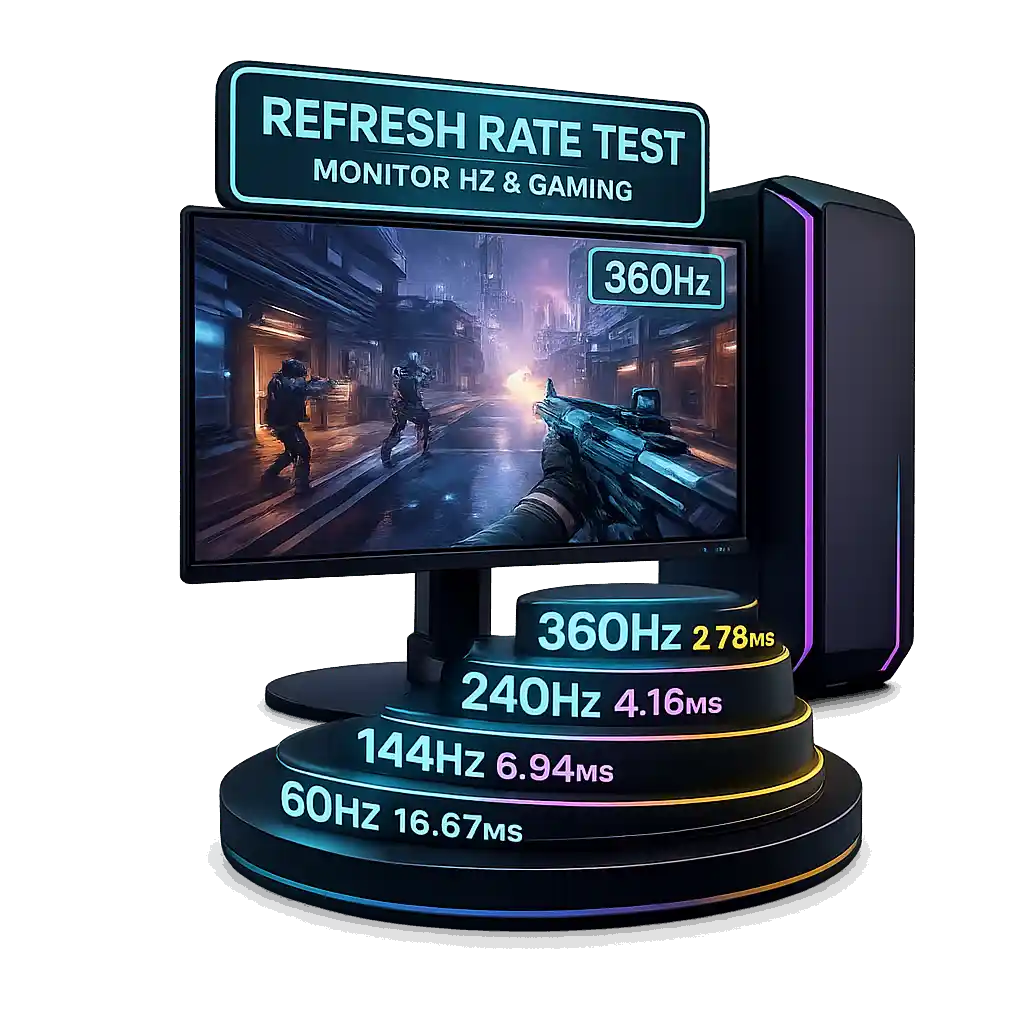
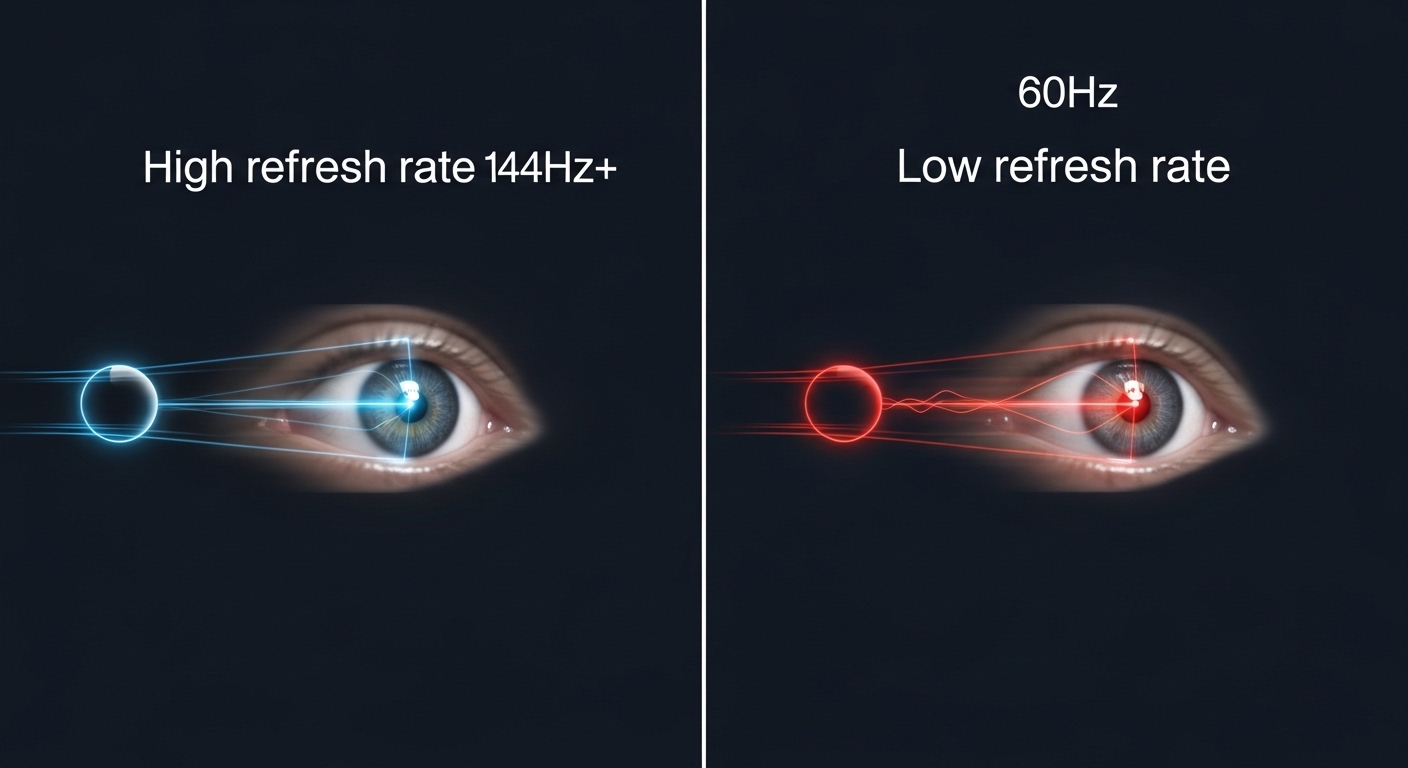
Refresh rate in gaming refers to how many times your monitor can update the image on its screen per second, measured in Hertz (Hz). For instance, a 144Hz monitor can display 144 unique images every second, resulting in significantly smoother motion and a more responsive feel during gameplay compared to a standard 60Hz display.
Why should I care about refresh rate as a busy gamer?
As gamers balancing life and play, every minute counts. A higher refresh rate means clearer motion, less blur, and faster visual feedback. This translates to better reaction times in competitive games, a more immersive experience in all titles, and less eye strain, making your limited gaming time more enjoyable and effective without needing to troubleshoot constantly.
How can I check my current monitor's refresh rate settings?
On Windows, right-click your desktop, go to Display settings, then Advanced display settings, and finally Display adapter properties for your monitor. Under the 'Monitor' tab, you'll find a dropdown for 'Screen refresh rate'. On macOS, it's typically found under System Settings > Displays. Ensure you're using a compatible cable for higher rates.
What is the best refresh rate for a balanced gaming experience?
For most US gamers, a refresh rate between 120Hz and 165Hz offers the best balance of performance, visual fluidity, and value. This range provides a dramatic improvement over 60Hz for both casual and competitive play, without the premium cost and extreme hardware demands of 240Hz or higher monitors, making it an excellent budget-friendly choice.
Does refresh rate affect my aiming and input lag in games?
Yes, refresh rate significantly affects aiming and input lag. A higher refresh rate reduces the time between when your action occurs and when you see it on screen. This means less input lag, making your mouse movements and button presses feel more immediate and precise. For aiming, clearer, smoother motion makes tracking targets much easier, improving accuracy.
Is a high refresh rate monitor worth it for console gaming?
Absolutely. With the PlayStation 5 and Xbox Series X/S now supporting 120Hz output for many titles, a compatible 120Hz TV or monitor can provide a noticeably smoother and more responsive console gaming experience. This upgrade is especially impactful for fast-paced action games and competitive multiplayer, making your console sessions feel more fluid and engaging.
What is the difference between refresh rate and response time?
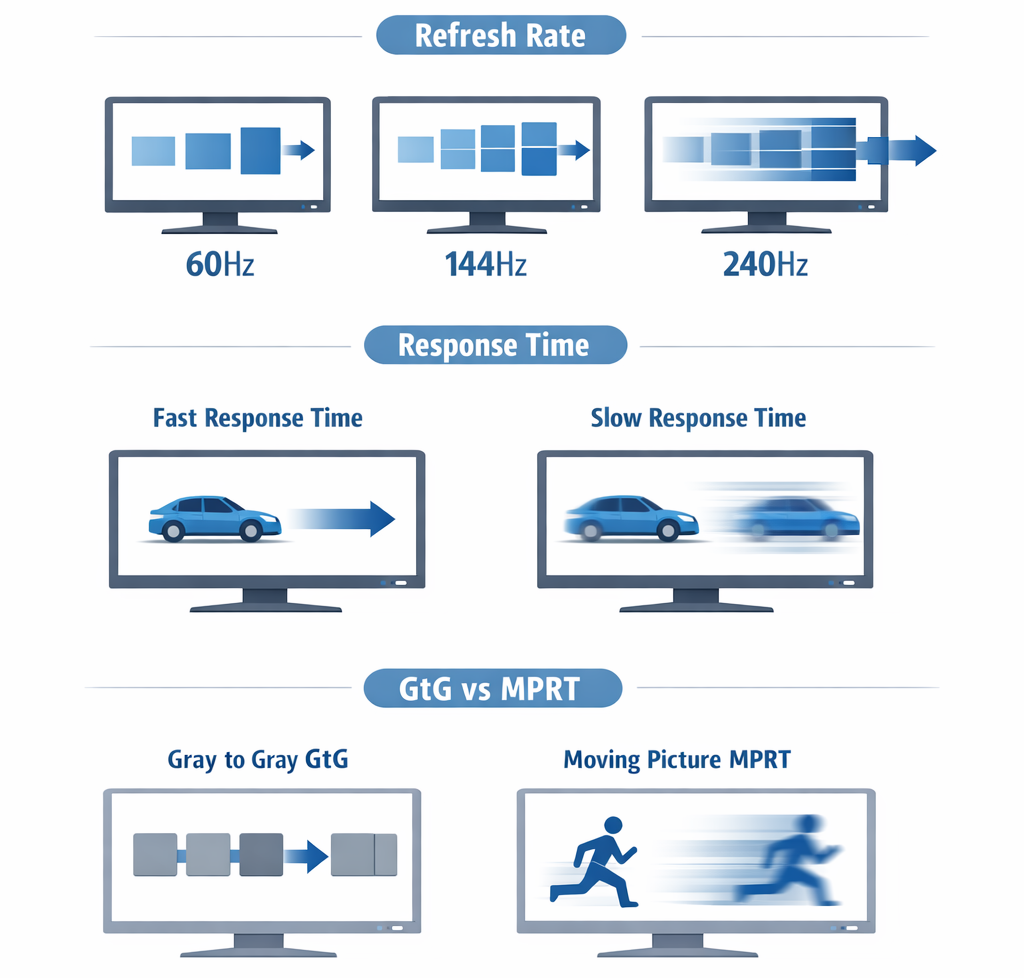
Refresh rate (Hz) is how often your monitor updates the image. Response time (ms) is how quickly individual pixels can change color (e.g., from black to white or grey to grey). Both are crucial for gaming. High refresh rate provides overall smoothness, while low response time minimizes ghosting and motion blur by ensuring pixels change quickly enough for the next frame.
Ever felt like your game just isn't keeping up? Maybe you're missing shots you swear you should have hit, or cinematic moments feel less fluid than they should. For the average US gamer, who's likely around 36 years old and juggling work, family, and life, these moments can be frustrating. You carve out precious time to unwind, socialize, or build skills, and a subpar visual experience just isn't cutting it. You're not alone. Many gamers, an estimated 87% of whom play regularly, spending 10+ hours a week, want to optimize their experience without diving deep into complex tech specs or blowing their budget on hype. That's where understanding what is refresh rate gaming comes in, a simple yet powerful concept that can dramatically transform your visual fidelity and responsiveness.
This isn't about chasing the absolute bleeding edge, but about getting the most out of your setup for your specific needs. Whether you're a fan of the latest open-world RPGs, competitive esports titles, or just relaxing with some social gaming, a proper understanding of refresh rate will empower you to make smarter choices. It's about maximizing your fun, performance, and value for money, ensuring every minute you spend gaming is as enjoyable and immersive as possible. Let's dive into how this key display metric works and how you can leverage it to your advantage.
What Exactly is Refresh Rate Gaming and Why Does It Matter So Much?
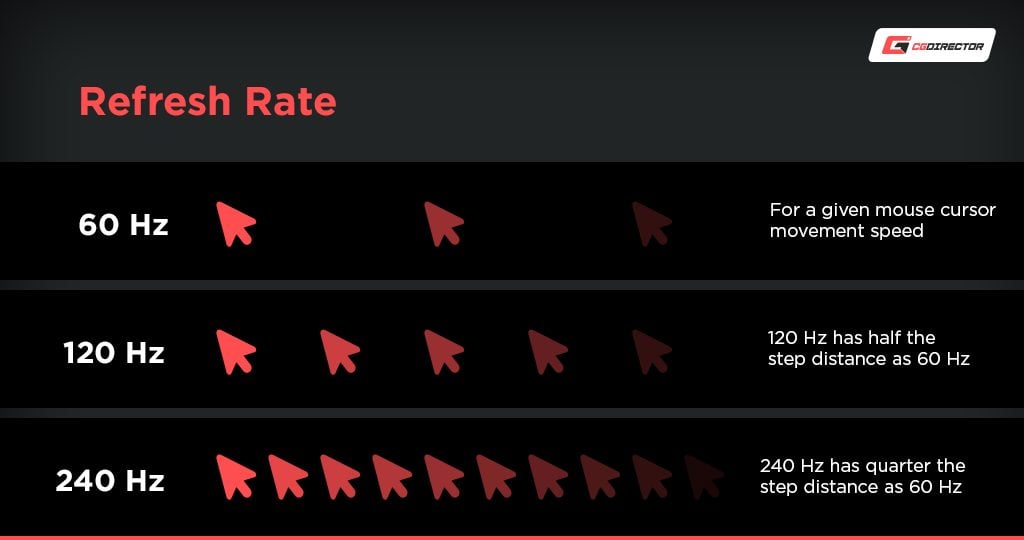
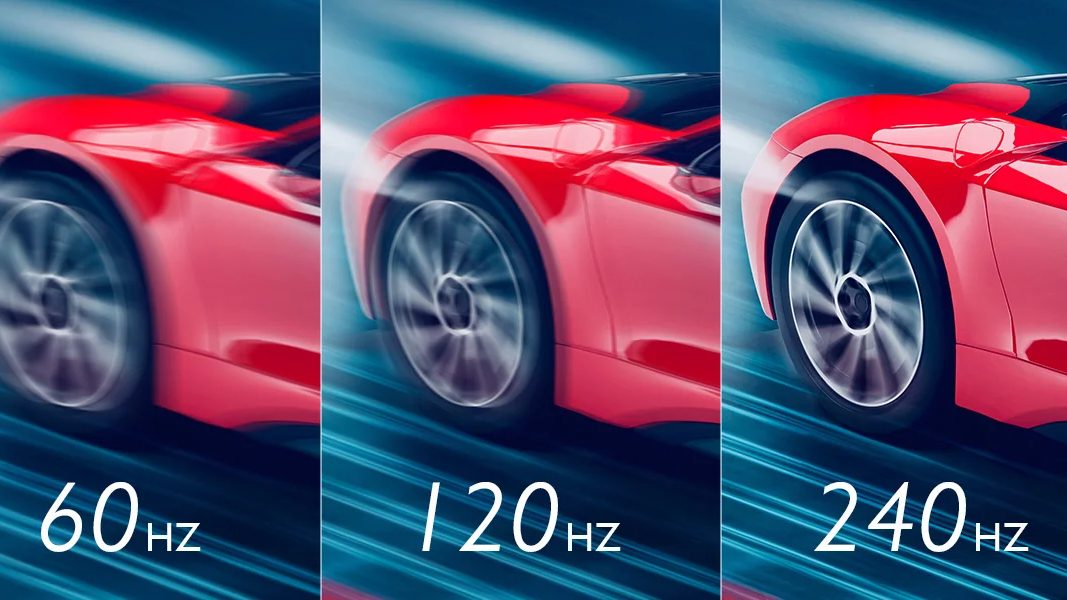
Refresh rate, measured in Hertz (Hz), is simply how many times your monitor updates the image on its screen per second. Think of it like a flipbook: more frames per second create a smoother animation. In gaming, if your monitor has a 60Hz refresh rate, it means it can display 60 new images every second. If it's 144Hz, it can display 144 images per second. This directly impacts the smoothness of motion you perceive. For gamers, especially in fast-paced titles, a higher refresh rate translates to significantly smoother visuals, reduced motion blur, and a more immediate response from your inputs. It matters because it directly affects how responsive and fluid your game feels, giving you a tangible edge and a more enjoyable experience.
How Does Refresh Rate Directly Affect My Gameplay Experience?
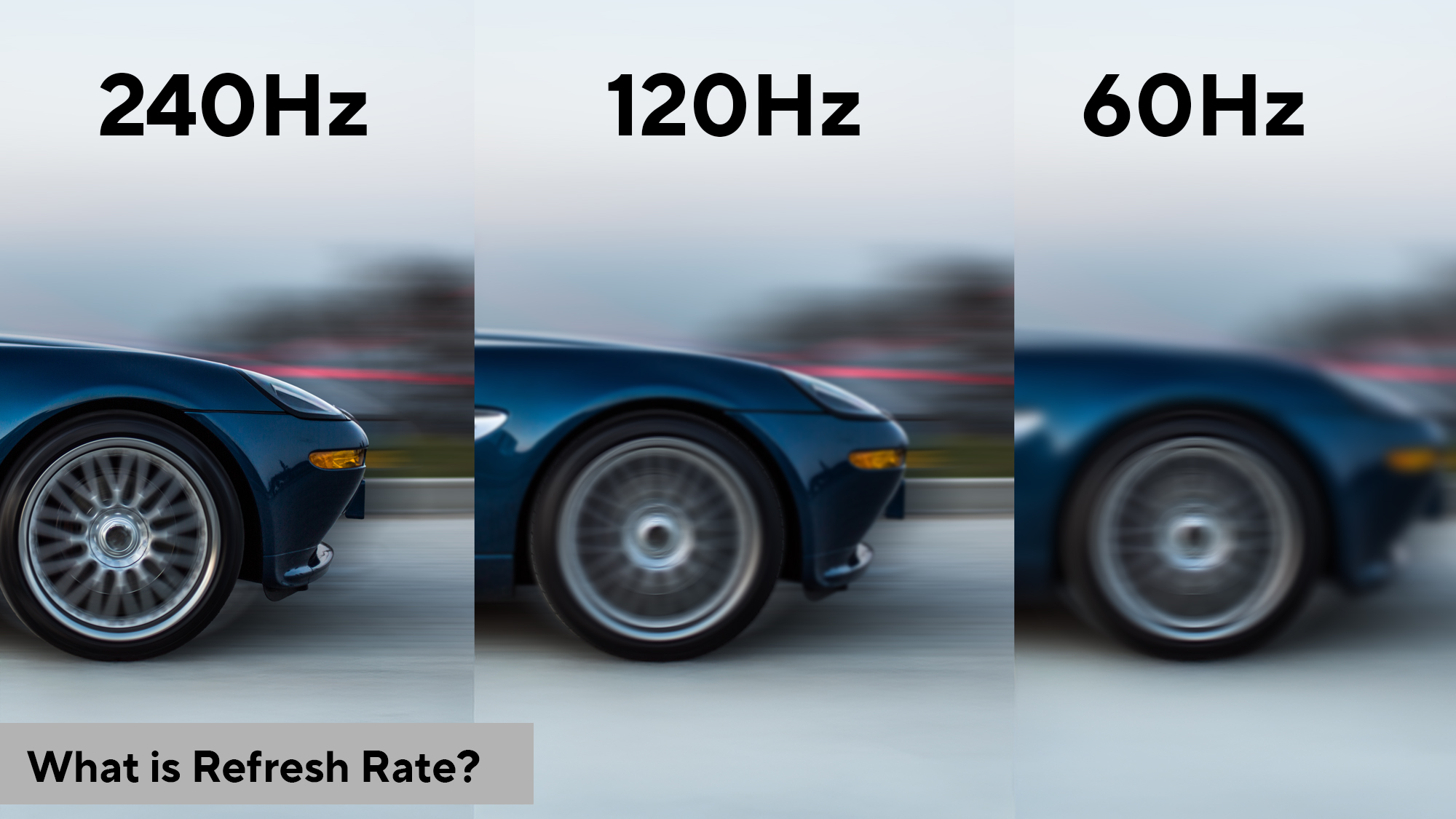
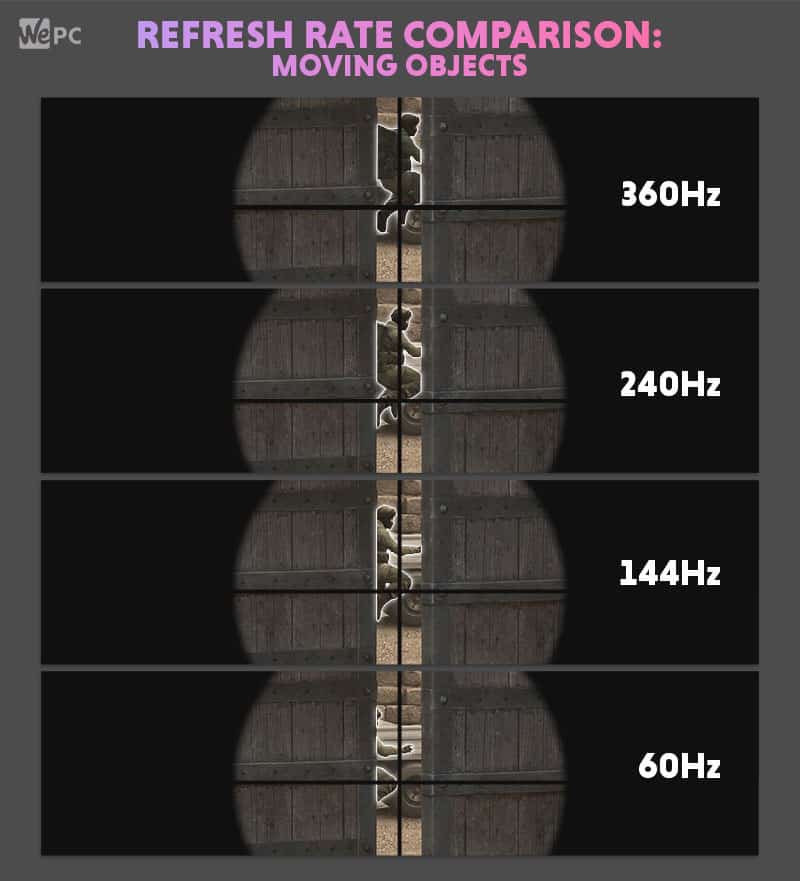
The impact of refresh rate on your gameplay is profound and immediately noticeable. With a higher refresh rate, individual frames are displayed for a shorter period, leading to less perceived motion blur. This means when you're quickly panning your camera in a first-person shooter or navigating complex environments in an adventure game, the image remains much clearer and sharper. Enemies in competitive games become easier to spot and track, leading to better aiming and faster reaction times. For busy gamers, this means getting more out of their limited playtime; instead of struggling with blurry visuals, you get crisp, fluid action that makes every moment count. It’s a core component of performance optimization.
What's the Difference Between 60Hz, 120Hz, 144Hz, and 240Hz Displays?
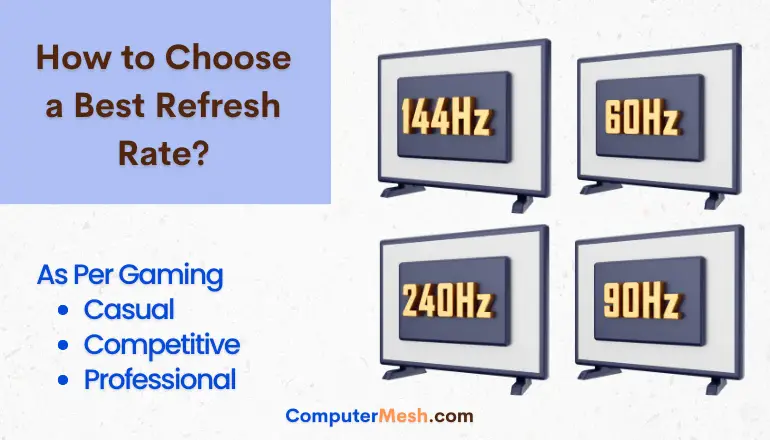
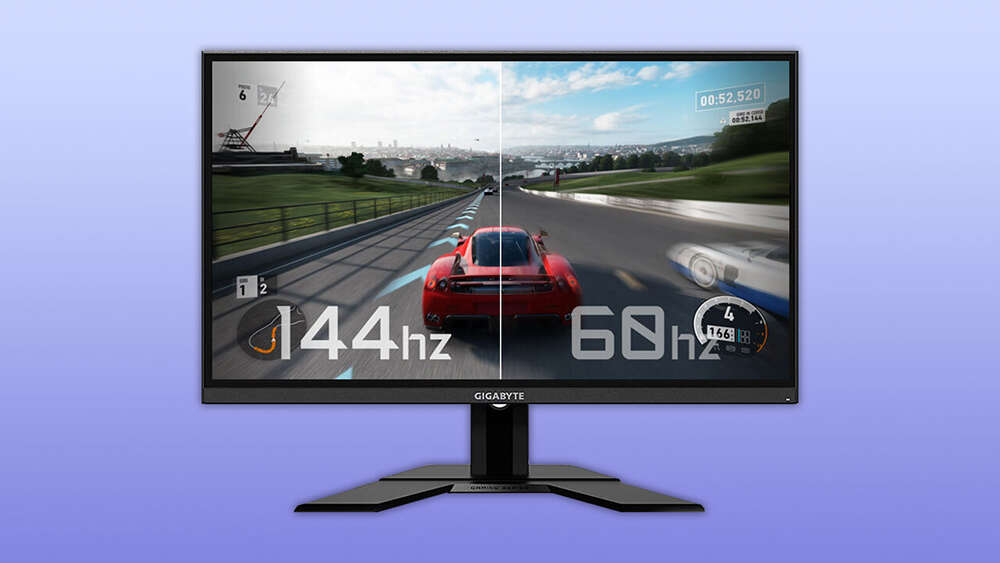
These numbers represent the maximum frames per second your monitor can display. A 60Hz monitor is standard for most everyday use and entry-level gaming, offering a decent experience but often showing noticeable choppiness in fast action. 120Hz provides a significant step up, offering noticeably smoother motion, common on many next-gen consoles and good for more casual PC gaming. 144Hz is often considered the sweet spot for competitive PC gaming, delivering excellent fluidity and responsiveness without the premium cost of higher tiers. 240Hz and beyond are reserved for hardcore competitive players where every millisecond counts, providing the absolute smoothest visuals possible, but requiring very powerful hardware to drive consistently high frame rates. The jump from 60Hz to 144Hz is often described as a 'night and day' difference by many US gamers.
Do I Need a High Refresh Rate Monitor for Every Type of Game?
Not necessarily. While a higher refresh rate generally enhances any gaming experience, its benefits are most pronounced in fast-paced, competitive titles like first-person shooters (e.g., Valorant, Call of Duty), racing games, and fighting games where quick reactions and precise tracking are paramount. For slower-paced, narrative-driven RPGs, strategy games, or cozy games that emphasize visuals and atmosphere over lightning-fast inputs, a 60Hz or 75Hz monitor might be perfectly adequate. The key is matching your monitor's capabilities to your most frequently played genres and your personal preferences, especially when considering hardware upgrades on a budget.
How Can I Check and Change My Monitor's Refresh Rate Settings?
Checking and adjusting your refresh rate is usually straightforward. On Windows, right-click on your desktop, select 'Display settings,' scroll down to 'Advanced display settings,' and then choose 'Display adapter properties for Display 1' (or whichever monitor you're configuring). Under the 'Monitor' tab, you'll see a 'Screen refresh rate' dropdown menu where you can select the highest available Hz. On macOS, go to 'System Settings,' then 'Displays,' and look for a 'Refresh Rate' option. Make sure your graphics card drivers are up to date and you're using a compatible cable (DisplayPort or high-speed HDMI) to unlock higher refresh rates. For console gamers, check your console's display settings (e.g., PS5/Xbox Series X can support 120Hz on compatible TVs).
What Hardware Do I Need to Maximize My Refresh Rate for Gaming?
Achieving and sustaining high refresh rates requires a synergistic relationship between your monitor and your graphics card (GPU). A high refresh rate monitor is essential, but equally important is a GPU powerful enough to render frames at a consistent rate that matches or exceeds your monitor's Hz. For example, a 144Hz monitor needs your GPU to consistently produce 144 frames per second (FPS) in your chosen games. If your GPU can only hit 80 FPS, you won't fully experience the 144Hz benefit. CPU, RAM, and even storage speed also play roles in overall system performance, but the monitor and GPU are the primary drivers for refresh rate optimization. Consider a balanced upgrade if you're on a budget.
Is Higher Refresh Rate Always Better, or Are There Trade-offs to Consider?
While a higher refresh rate offers significant advantages, there are some trade-offs. The primary one is cost: higher Hz monitors are generally more expensive. Additionally, pushing more frames requires more powerful hardware, meaning you might need to invest in a better GPU to fully utilize a 144Hz or 240Hz monitor. There's also a point of diminishing returns; the jump from 60Hz to 144Hz is massive, but the leap from 144Hz to 240Hz is less dramatic and noticeable to the average gamer. For gamers balancing life and budget, finding the sweet spot between performance and cost is key. For many, 144Hz or 165Hz offers the best value.
How Do Adaptive Sync Technologies (G-Sync, FreeSync) Relate to Refresh Rate?
Adaptive Sync technologies like NVIDIA's G-Sync and AMD's FreeSync are game-changers. They eliminate screen tearing and reduce stuttering by synchronizing your monitor's refresh rate directly with your GPU's frame output. Without adaptive sync, if your GPU renders 100 FPS on a 144Hz monitor, you might experience tearing (where parts of multiple frames appear on screen at once) or stuttering. With G-Sync or FreeSync, the monitor dynamically adjusts its refresh rate to match the GPU's fluctuating FPS, providing a consistently smooth, tear-free visual experience. This is especially beneficial for gamers who can't always maintain a perfectly stable, high frame rate, enhancing performance optimization without needing a top-tier GPU.
Can Understanding Refresh Rate Improve My Competitive Gaming Performance?
Absolutely. In competitive titles, every millisecond counts. A higher refresh rate means you see updated information faster and clearer. This reduces input lag, allows for more precise tracking of moving targets, and can give you a crucial edge in reaction time. Many professional esports players utilize 240Hz or even 360Hz monitors for this very reason. While the average gamer might not need 360Hz, upgrading from 60Hz to 144Hz can significantly improve your ability to react to opponents, land shots, and navigate complex, fast-paced scenarios, making you a more effective and competitive player, especially in popular social gaming titles like 'The Finals' or 'Apex Legends'.
What About Refresh Rate Considerations for Consoles and Mobile Gaming?
Refresh rate isn't just a PC gamer's concern. Modern consoles like the PlayStation 5 and Xbox Series X/S now support 120Hz output, which, when paired with a compatible 120Hz TV or monitor, delivers a noticeably smoother experience in supported games. Mobile gaming, which continues its dominance with billions of players, also benefits from higher refresh rates. Many premium smartphones and tablets now feature 90Hz, 120Hz, or even 144Hz displays, making mobile games feel incredibly fluid. This trend reflects the growing demand for smoother visuals across all gaming platforms, ensuring that whether you're on a phone or a console, you can optimize your visual experience.
How to Balance Refresh Rate with My Gaming Budget and Lifestyle?
For gamers balancing jobs, families, and life, making smart, budget-friendly choices is paramount. Here's a quick guide:
- Prioritize 144Hz: If upgrading, aim for a 144Hz or 165Hz monitor. It offers the best price-to-performance ratio for most gamers.
- Check GPU Compatibility: Ensure your current or planned GPU can consistently hit high FPS in your favorite games to fully utilize the higher refresh rate.
- Consider Adaptive Sync: Look for monitors with G-Sync or FreeSync compatibility; they significantly improve the experience even if your FPS fluctuates.
- Don't Overspend: Unless you're a hardcore competitive player, 240Hz might be overkill for your needs and budget.
- Utilize Sales: Keep an eye out for sales, especially during major shopping events, to snag a great deal on a high refresh rate monitor.
By understanding what is refresh rate gaming, you can make informed decisions that enhance your play without unnecessary expense or time spent troubleshooting.
In conclusion, understanding what is refresh rate gaming is a fundamental step toward optimizing your visual experience and gaining a competitive edge. It's not just about raw power, but about how that power translates into the smoothness and responsiveness you see on your screen. From enhancing your aiming accuracy in fast-paced shooters to making beautiful open worlds feel more immersive, a higher refresh rate can profoundly elevate your time spent gaming. For the busy gamer, it means more enjoyment and less frustration, ensuring every precious moment counts. So, take the time to check your settings, consider a smart upgrade, and get ready to see your games in a whole new light.
What's your biggest gaming challenge related to visual performance? Comment below!
FAQ Section
What is the ideal refresh rate for casual gaming?
For casual gaming, a refresh rate of 75Hz to 120Hz is generally ideal. It provides a noticeable improvement over standard 60Hz without requiring a top-tier graphics card or incurring the higher cost of 144Hz or 240Hz monitors. Many popular monitors offer 75Hz as an affordable upgrade that significantly enhances visual fluidity for everyday play and less competitive titles.
Can my GPU limit the refresh rate I experience?
Yes, absolutely. Your GPU is crucial because it generates the frames. If your graphics card can only produce 60 frames per second (FPS) in a game, even a 144Hz monitor will only display 60 unique frames per second. To fully utilize a high refresh rate monitor, your GPU needs to consistently render frames at or above that monitor's refresh rate.
Does refresh rate reduce eye strain during long gaming sessions?
While there's no direct medical consensus that higher refresh rates inherently reduce eye strain, many gamers report feeling less fatigue. The smoother motion and reduced flickering, especially when combined with adaptive sync technologies, can make the visual experience more comfortable and less jarring, which might indirectly contribute to reduced eye strain during extended play.
Is refresh rate the same as frames per second (FPS)?
No, refresh rate and FPS are related but distinct. Refresh rate (Hz) is a characteristic of your monitor, indicating how many times it can update the screen per second. FPS (frames per second) is a characteristic of your graphics card, indicating how many frames it's rendering per second. For the smoothest experience, you want your FPS to match or exceed your monitor's refresh rate.
Should I prioritize refresh rate over resolution, or vice versa?
This depends on your priorities and budget. For competitive gaming, refresh rate often takes precedence, as the speed and responsiveness are key. For graphically intensive, slower-paced games where visual fidelity is paramount, a higher resolution (e.g., 4K) might be preferred, even if it means a lower refresh rate (e.g., 60Hz). Many gamers find a good balance with 1440p resolution and a 144Hz refresh rate.
What are the common refresh rates for gaming monitors?
The most common refresh rates for gaming monitors are 60Hz, 75Hz, 120Hz, 144Hz, 165Hz, 240Hz, and even 360Hz. Each offers progressively smoother visuals and reduced input lag, with 144Hz being a popular choice for its balance of performance and cost. Higher rates require more powerful graphics hardware to fully utilize.
Understand what is refresh rate gaming and its impact on visual smoothness. Learn how Hz values like 60Hz, 144Hz, and 240Hz affect gameplay responsiveness. Discover the hardware requirements to achieve higher refresh rates. Optimize your monitor settings for a superior gaming experience. Balance performance upgrades with your gaming budget and lifestyle.
34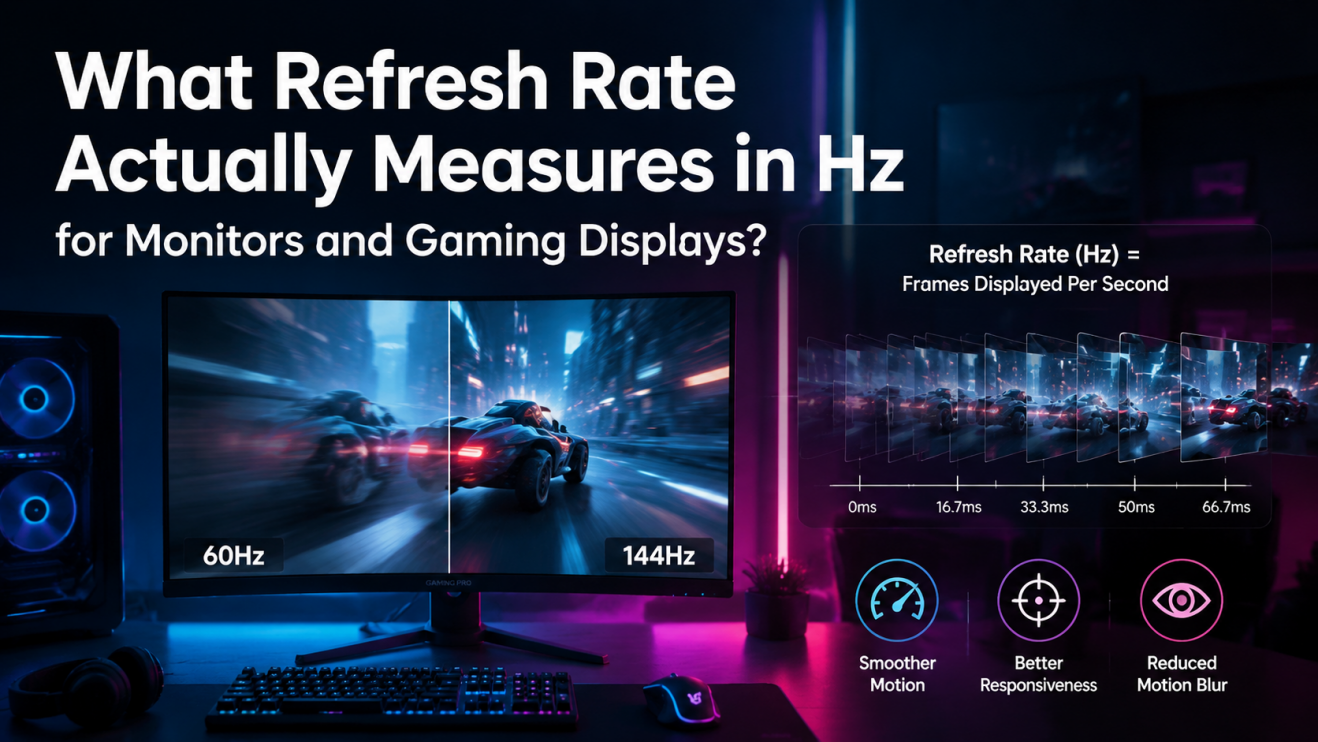


What Is Refresh Rate Monitor Hz Explained For Gaming YG Blog Image C299b255 . Best Refresh Rate For Gaming Monitor 2026 Complete Guide Best Cheap. What Is The Best Refresh Rate Hz For Gaming 2026 Guide AD 4nXdT2W Q 3ObnkL My0YAUq 2. Best High Refresh Rate Monitors In 2026 Gaming PC Guru 2c040e4c 43cb 476e Af09 PT0 SX1464 V1 . Samsung Gebrak CES 2026 Monitor Gaming Dengan Refresh Rate 1 040Hz IMG 20251225 223057

Refresh Rate Impact On Gaming Monitor Refresh Rate Tests Impact On Gaming Experience In SA 1200px V1.webp. 12 Best Curved Gaming Monitors With High Refresh Rates June 2026 Best Curved Gaming Monitors With High Refresh Rates . What Is Refresh Rate Why 120Hz 144Hz 240Hz Matters For Gaming . CES 2026 Pushes Gaming Displays OLED Refresh War . 10 Best 64GB DDR5 RAM Laptops In June 2026 High Refresh Rate Gaming Laptops

Refresh Rate Vs Response Time What Matters More For Gaming Refresh Rate Vs Response Time Gaming . Refresh Rate Vs Frame Rate Key Differences And Choices Linsn LED Refresh Rate . Best Gaming Tv Refresh Rate How To Choose A Best Refresh Rate . Refresh Rate Test How Monitor Hz Impacts Gaming Refresh Rate Test.webp. Monitor Refresh Rate For Video Editing Refrersh Rate


Best Refresh Rate For Gaming This Is The Optimal Hz Rate For Gamers CA 480x246 . Choosing The Best Refresh Rate For Gaming Monitor Unlocking Smoother Best Refresh Rate For Gaming Monitor . What Is The Average Refresh Rate On A Gaming Monitor Infoupdate Org Refresh Rate Comparison Moving Objects Glow . What Is Refresh Rate 60Hz Vs 144Hz Vs 240Hz Explained Switchblade Gaming Refresh Rate Gaming. The World S First Gaming Monitor With A 1080Hz Refresh Rate Is Here Benq Refresh Rate
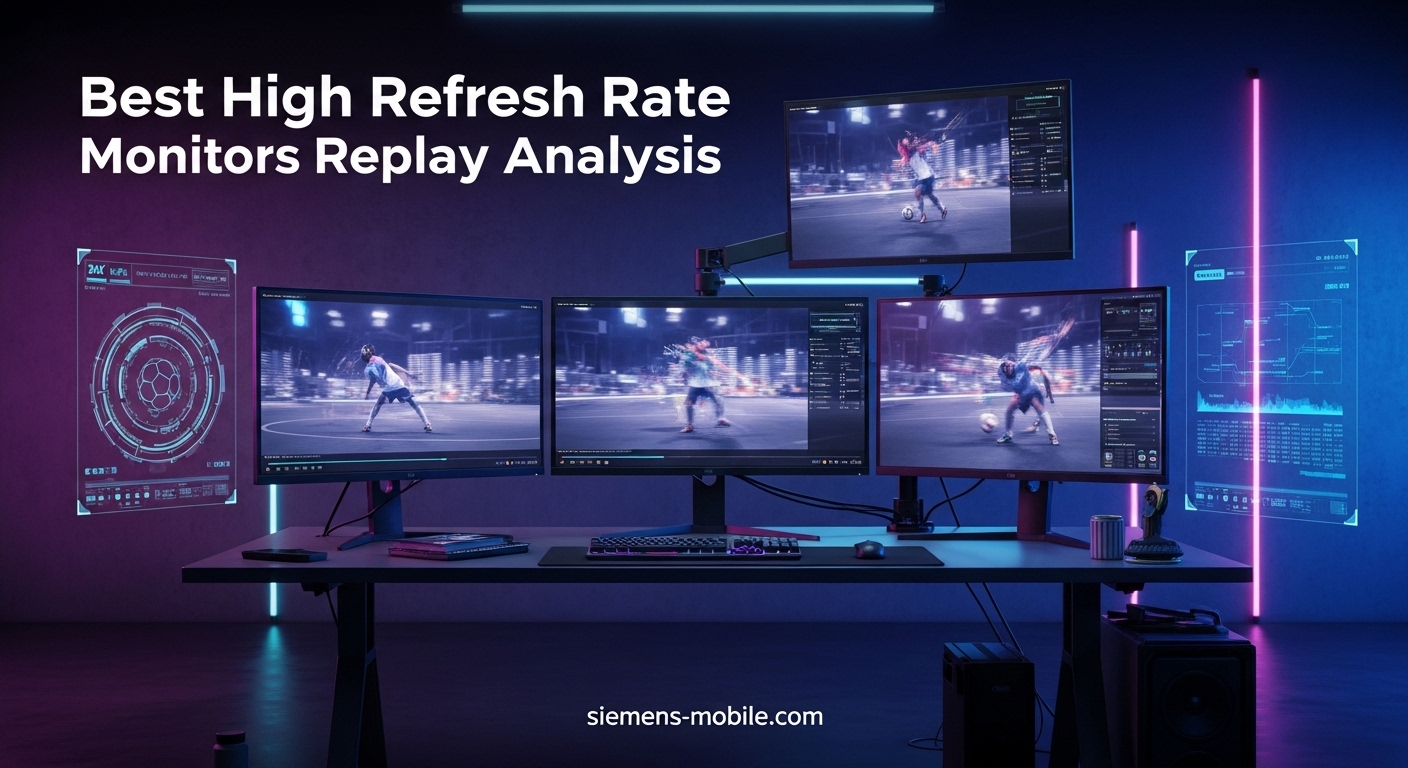
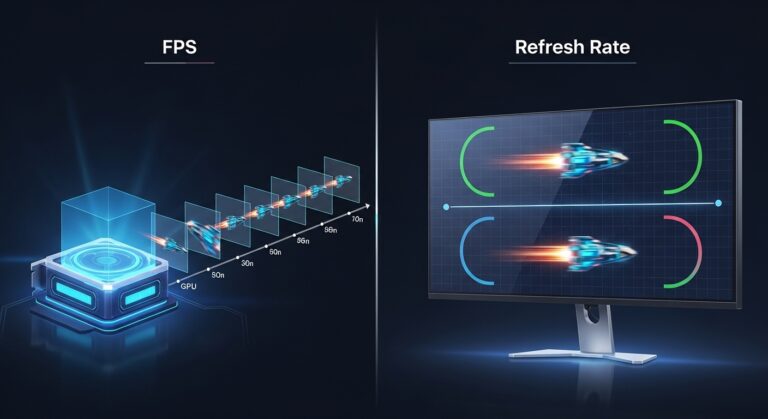
Best Gaming Tv Refresh Rate . Monitor Refresh Rate For Video Editing 3818951 . Free Refresh Rate Tester Measure Your Display Refresh Rate Online A Modern Youtube Thumbnail Design Featur GLS 1024x574 . 7 Best High Refresh Rate Monitors For Replay Analysis April 2026 Guide Best High Refresh Rate Monitors For Replay Analysis . FPS Vs Refresh Rate What Really Matters For Smooth Gaming Performance FPS Vs Refresh 768x419


Monitor Sizes Choosing The Perfect Display Arzopa High Refresh Rate Led Screen Vs Lower Refresh Rate 1.webp. Is 60Hz Good For Gaming In 2024 Complete Guide What Is The Best Refresh Rate For Gaming 300x169 . What Is 120hz Refresh Rate Unlocking Smooth Gaming What Is 120hz Refresh Rate Unlocking Smooth Gaming . What Is A Usb 2 0 Billboard Device Decoding Its Unique Uses What Is Refresh Rate On A Monitor Unlock Optimal Gaming Performance . FPS Vs Refresh Rate What Really Matters For Smooth Gaming Performance Refresh Rate


What Is Refresh Rate And Why Does It Matter HYTE Image. How To Enable Variable Refresh Rate VRR For Games On Windows 10 How . The Best Refresh Rate For Gaming GamingProfy The Best Refresh Rate For Gaming . Refresh Rate Vs FPS LED Real World Settings Costs UNIT LED Refresh Rate